Working the Queue
Your work list is the Authorization Numbers queue filtered to the TPA view. Everything in it is waiting on a TPA decision.
1. Open the queue
Navigate to Queues → Authorization Numbers, or go directly to:
https://admin-uat.caseclinical.com/queues/authorization-numbers
2. Select the TPA view
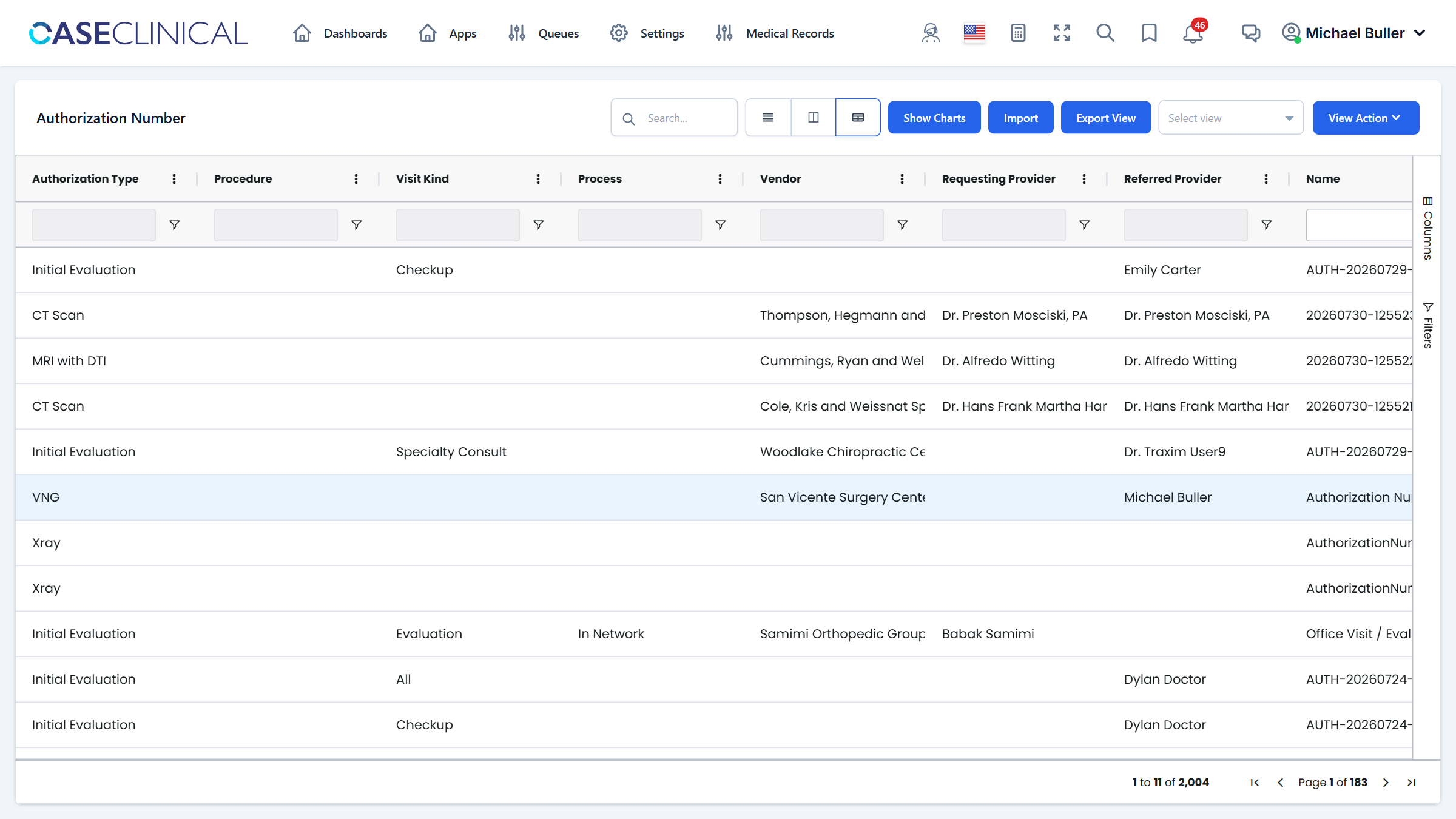
In the toolbar, open the view selector (the dropdown to the left of View Action) and choose TPA.
The TPA view applies the saved work-list filters:
- Status =
Pending Review— requests whose records are in and are waiting on your review. - Authorization Type excludes (Blanks) — untyped records are managed by the intake team and are not part of the TPA work list.
Views are saved server-side per table. If you adjust filters or columns and want to keep them, use View Action → Save View. Selecting a different view (or clearing the selector) restores that view's saved filters.
3. Sort by Action Date
Click the Action Date column header to sort ascending — oldest items first, so nothing ages out silently. Click again to flip the direction. The sort is part of the view, so saving the view keeps it.
4. Open a request
Double-click a row to open the Authorization Number record. You land on the Overview tab, which is where the entire review happens — see Reviewing a Request.
The top bar of the record shows the authorization number, the linked order, and the current status pill, so you can confirm you are on the right record before doing anything.