Reviewing a Request
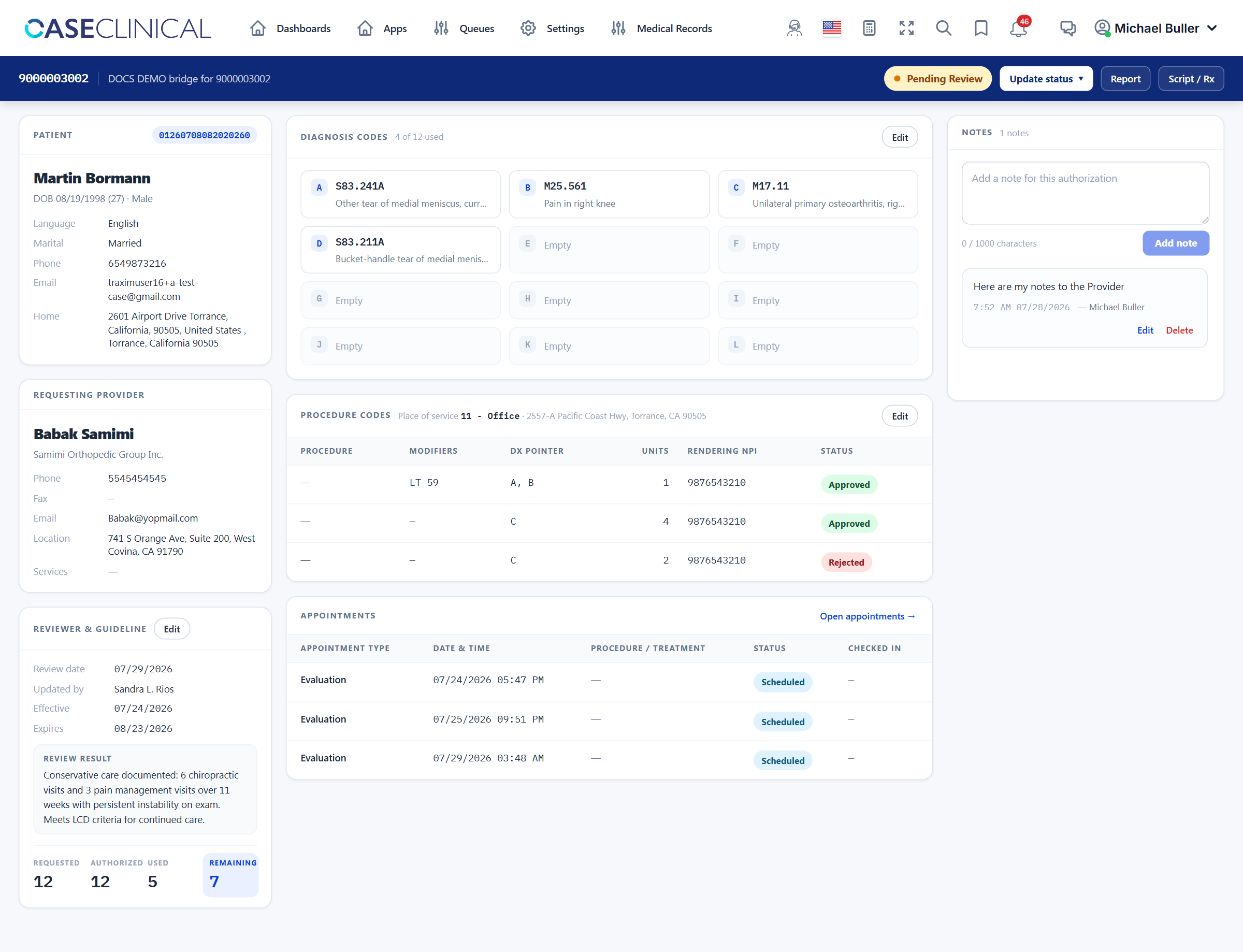
The Overview screen is a single workspace: patient and provider on the left, coding in the center, notes on the right, and all actions in the sticky top bar.
| Area | Contents |
|---|---|
| Top bar | Authorization number · linked order · status pill · Update status menu · Report · Script / Rx |
| Left rail | Patient (with MRN) · Requesting provider · Reviewer & guideline (dates, visits, review result) |
| Center | Diagnosis codes (A–L) · Procedure codes & place of service · Appointments · Clinical findings |
| Right rail | Notes (add, edit, delete your own) |
1. Review the request document
Click Report in the top bar to open the request document — this is the provider's authorization request. Review it alongside:
- Script / Rx (top bar) — the prescription / order document, when attached.
- Clinical findings (center) — findings extracted from each medical record, with View / Download / Chat per record.
- Reviewer & guideline (left rail) — prior review dates, visit counts, and the last review result.
2. Fill in the diagnosis codes
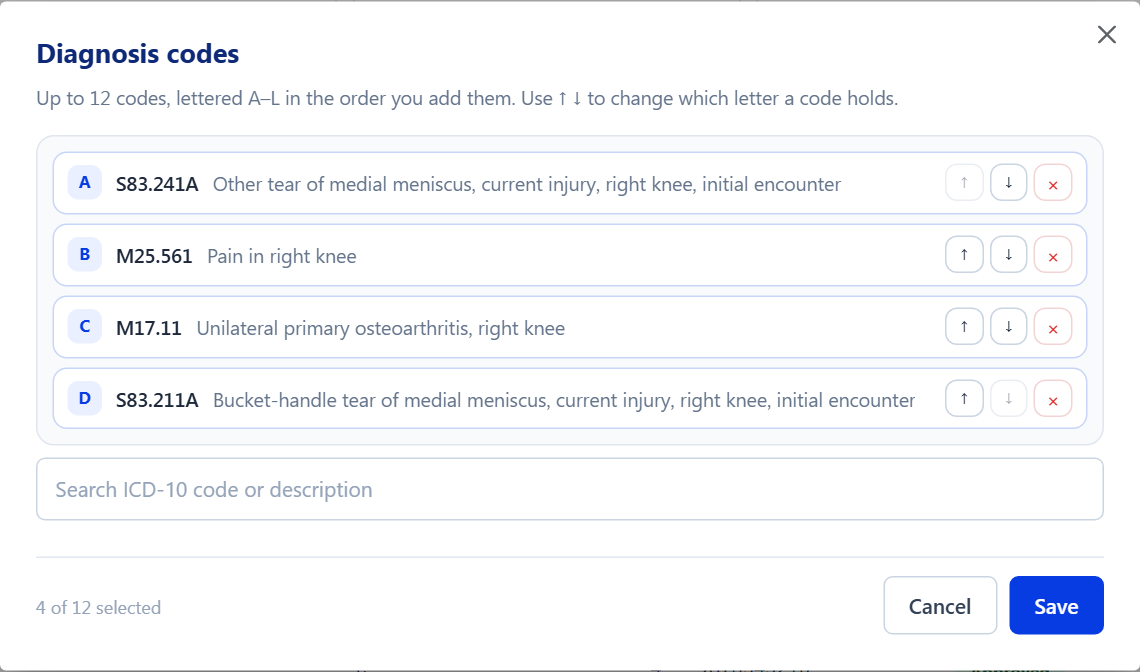
- On the Diagnosis codes card, click Edit.
- Search by ICD-10 code or description (e.g.
S83.211Aorsprain). Click a result to add it; click again to remove it. - Codes are lettered A–L in the order you add them — up to 12. Use the ↑ / ↓ buttons to change which letter a code holds.
- Click Save.
Procedure lines reference diagnoses by letter (A–L) — the same pointers that appear on the CMS-1500 / 837P claim. Order the codes so the primary diagnosis is A.
3. Fill in the procedure codes and place of service
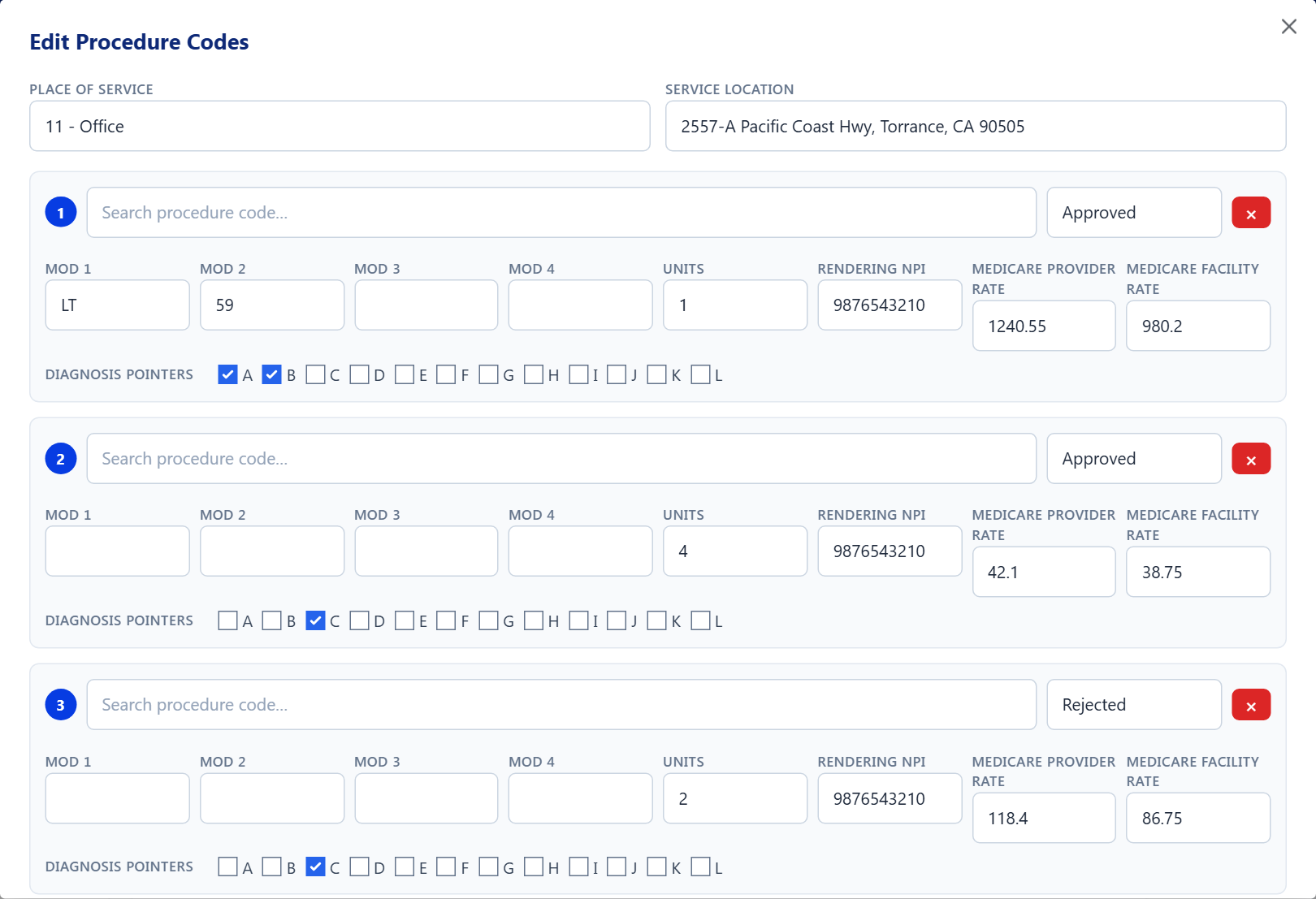
- On the Procedure codes card, click Edit.
- Set the header fields:
- Place of Service — e.g.
11 — Office,24 — Ambulatory surgical center. - Service Location — the address where care is delivered.
- Place of Service — e.g.
- For each procedure line:
- Procedure (CPT) — search by code or name and pick from the list. Every line must have a procedure before you can save.
- Mod 1–4 — modifiers as applicable (e.g.
LT,59). - Units — number of units.
- Rendering NPI — the rendering provider's NPI.
- Medicare provider / facility rate — reference rates for pricing.
- Diagnosis pointers — toggle the A–L letters this line treats.
- Status — per-line
Approved/Rejectedonce you have made a determination.
- + Add procedure line for additional lines; Remove deletes a line.
- Click Save.
4. Leave a note
Use the Notes rail to record anything the next reviewer or the intake team needs — records requested, callbacks, guideline citations. Notes take 2–1000 characters; you can edit or delete your own notes.
5. Update the status
Finish by moving the request to the right status from the Update status menu in the top bar — see Statuses for what each one means and which ones collect extra information.